Sharing & access
You own or edit a canvas and want to decide who can open it, who edits it with you, and where it shows up. Every control on this page lives on the canvas's Share tab. Agents reach the same controls over MCP, through the same service and the same role checks.
Every canvas starts Restricted: only you, the owner, can open it. Sharing is two controls plus optional layers, and they read the way Google Docs does:
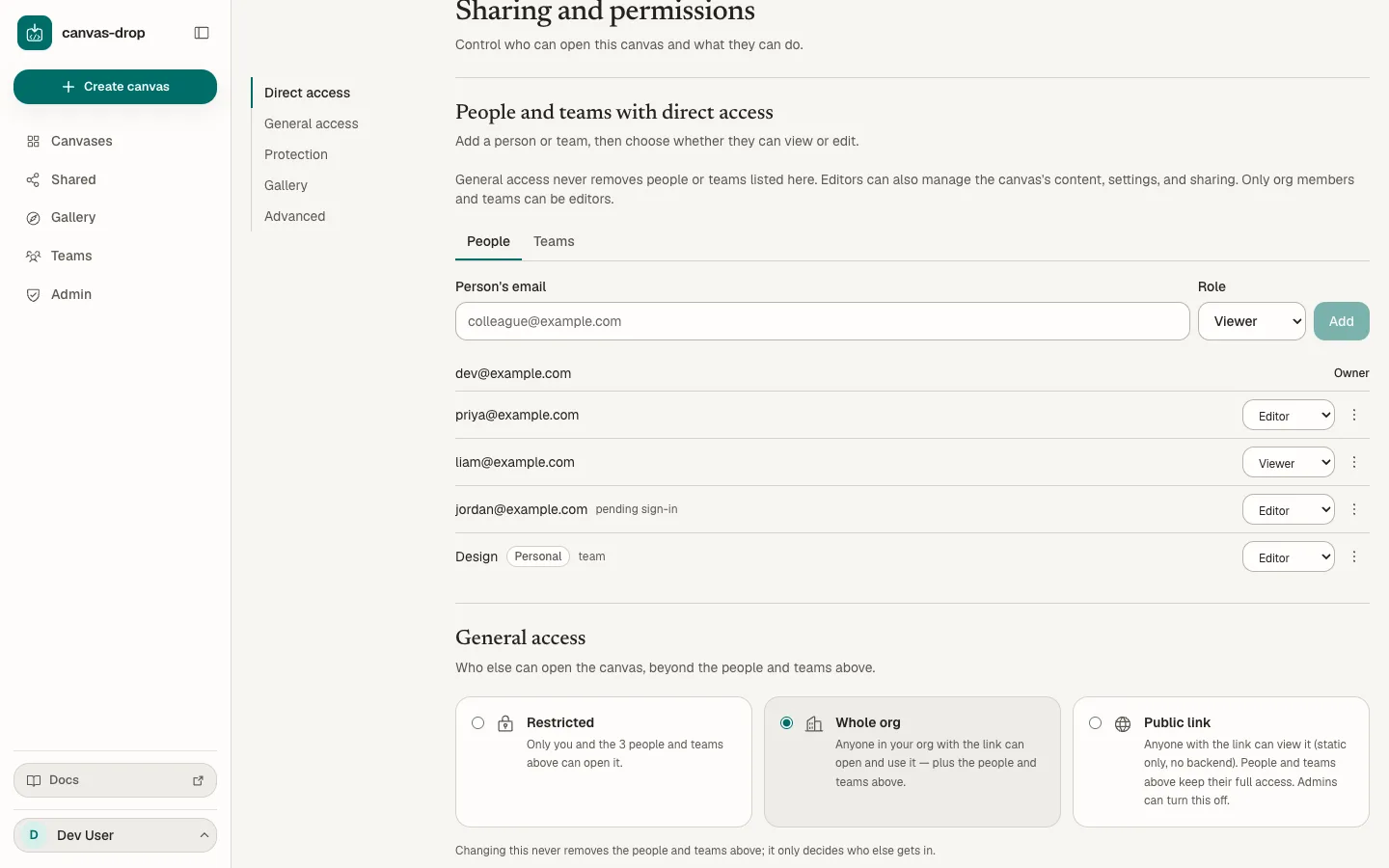
- People and teams with direct access names who can open the canvas, each as a viewer or an editor. This list always applies, whatever the next control says.
- General access says who else can open it: Restricted (nobody beyond the list), Whole org, or Public link.
- Optionally add a password or a share expiry under Protection.
- Optionally opt into discovery: List for your org (the Shared page, Whole org only) or List in the gallery.
The summary beside Copy link describes the current audience, password protection, and expiry. People and teams opens the direct-access section. A paused public-sharing policy is shown explicitly; changing that policy never removes existing direct grants.
Share with one colleague
- Publish first. Until the canvas has a live version, the Share tab shows one locked panel with a Publish button.
- Under People and teams with direct access, keep People selected, type their email, pick Viewer or Editor, and choose Add.
That is all: they can open the canvas on their next request, with General access still on Restricted. Over MCP it is one call:
grant_access { "id": "<canvas id>", "email": "someone@example.com", "role": "viewer" }Opening General access to Whole org or Public link on an unpublished or archived canvas is refused with SHARE_REQUIRES_PUBLISH (HTTP 409); the people-and-teams list can be filled in before publishing.
Admins have no back door into your content. For a canvas they do not own, an admin is an ordinary member: a Restricted canvas returns 404, a password prompts them too, and they cannot open the editor or change settings. Cross-owner admin power is moderation and offboarding only: the all-canvases list, disable / re-enable / restore, and reassigning the owner when someone leaves.
General access
One choice per canvas, stored as access (default private). The people and teams on the list are admitted at every choice; General access only ever widens beyond them.
| Choice | Who else can open it | Backend primitives |
|---|---|---|
Restricted (private) |
Nobody beyond the owner, the editors, and the people and teams on the list. With nobody added, that is just you. | Full (whatever the Backend tab enables), for everyone admitted. |
Whole org (whole_org) |
Any signed-in member with the link. | Full, for members. |
Public link (public_link) |
Anyone with the URL, no sign-in, while the instance switch is on and the owner's account may publish publicly. | None for the public: static files only. People on the list keep full access. |
Two legacy values, specific_people and team, are still accepted and stored by the API for compatibility. They are aliases of private: the dashboard shows them as Restricted, and the server treats all three identically. Nothing you set through the dashboard writes them.
Editors are admitted at every choice, never see the password prompt, and are unaffected by expiry. Everyone else is evaluated per request, with nothing cached: a change to General access, the list, or the locks applies on the very next request. Anyone with no route in gets an opaque 404, never a "forbidden" that confirms the canvas exists.
When an org boundary is configured (the operator set CANVAS_DROP_ORG_NAME; off by default), Whole org means members of this canvas's home org, not "anyone signed in". Members pick Personal or the workspace when they create a canvas (a fixed choice). A Personal canvas cannot be shared org-wide: the choice is shown disabled, and the server refuses with ORG_REQUIRED (HTTP 409). A guest (a signed-in user in no org) never sees Whole-org canvases, only the ones they are added to. With no org configured, Whole org is "any signed-in user".
Which choices you see depends on your account: Whole org is hidden for guests, and Public link appears only while your own account may publish publicly. A choice the canvas is already on stays visible either way.
Slugs are not access control
The random slug in a canvas URL (quiet-otter-x7k2) is defense in depth, not access control. A custom slug (team-dashboard) is guessable, so the list and General access do all the work; the Share tab shows a heads-up when a canvas is link-reachable (Whole org or Public link) and uses a custom slug.
Access vs discovery
Access and discovery are separate settings:
- The people-and-teams list and General access decide who can open the URL.
- List for your org (
discoverability:link_onlyorlisted, Whole org only) decides whether a Whole org share appears on the Shared page for every member of the home org. It never widens URL access.
People and teams on the list always see the canvas in Shared (a team's members through the team), at every General-access choice and without any switch. Whole-org shares default to link-only: members can open the URL, but the canvas is not listed for them until you turn List for your org on, which also makes it eligible for the gallery. Listing a Whole-org canvas in the gallery turns this switch on as part of the same action; turning it off again also removes the canvas from the gallery. Public link canvases never appear in Shared; use the gallery for deliberate discovery.
Roles: viewers and editors
Every entry under People and teams with direct access, whether a person, a pending email, or a team, is a viewer or an editor. The owner is pinned first and has no role control. Use the People and Teams tabs to change what the single add form accepts; the access list stays visible below.
| Viewer | Editor | |
|---|---|---|
| Open the canvas | Always, at every General-access choice (the password and expiry still apply). | Always, with no password prompt and no expiry. |
| Edit the draft, publish, roll back, restore | No | Yes |
| Change settings and sharing, add or remove people (other editors included) | No | Yes |
| Deploy new versions, regenerate the deploy key, use the authoring routes | No | Yes |
| Clone an eligible published canvas | Yes, for a direct or team grant | Yes |
| Delete, transfer ownership, guest-AI opt-in | No | No: owner only (OWNER_ONLY, HTTP 403) |
Editors see the canvas in Your canvases, marked editor · <owner> on a card and owned by <owner> · editor on a row, and can filter with Owned by me / Editing. Edited canvases do not appear in Shared.
- Only org members and teams can be editors. A guest (someone outside your org domains) is always a viewer (
GUEST_VIEWER_ONLY, HTTP 400), and a pending email can carry the editor role only when it belongs to an org domain. When an org boundary is configured, an editor grant holds only while the person is currently a member, checked on every request: someone who leaves the org loses edit access on their next request, and their editor session and realtime sockets are dropped. Demoting an editor keeps them on the list as a viewer, so the canvas moves to Shared as view-only; removing them ends their access on the next request. - Entitlements follow the owner. An editor can switch on Public link only when the owner's account may publish publicly (
PUBLIC_LINK_OWNER_GATED, HTTP 403, otherwise). Usage and AI spend stay attributed to the canvas and its owner.
Pick the role when you add someone (Viewer is the default) and change it any time from the row. A person promoted to editor gets a courtesy email when outbound email is on; when an editor makes someone else an editor, the owner is notified too. After you remove or demote an editor, the dashboard offers to regenerate the deploy key: a key they copied keeps working until you do.
Two editors, one file
There is no real-time co-editing. Each draft save carries the hash of the file the editor loaded; if someone else saved that file first, the save is refused with DRAFT_CONFLICT (HTTP 409) carrying path, currentHash, updatedBy, updatedByName, and updatedAt. The editor keeps your unsaved text next to the other version so you can use theirs or overwrite. Edits to different files never conflict. Each publish records who created the version, so the Versions tab shows authorship.
Transfer ownership
Under owner-only Advanced, the owner can hand the canvas to any current editor who is an org member, including a member of an editor team; never to a team itself, and never by email (the picker lists eligible people; anyone else is refused with NOT_ELIGIBLE, HTTP 409). Editors do not see this section. The transfer applies at once and is audited:
- The recipient becomes the owner; you stay on as an editor while your account is active and still passes the org check.
- If the canvas was on Public link and the new owner's account cannot publish publicly, the rung is turned off (
publicLinkReverted). - The deploy key keeps working; the new owner can rotate it.
When an owner leaves, an admin can reassign any of their canvases to another member from Admin → Canvases with a recorded reason. The previous owner stays an editor when their account is still active, both parties are emailed, and the deploy key is rotated in the same step (the new owner issues a fresh one).
Adding specific people
Under People and teams with direct access, leave the People tab selected and add by email as a viewer or an editor. The outcome is deterministic:
| Outcome | Meaning |
|---|---|
granted |
An existing signed-in user; they can open the canvas now. |
pending |
A new email your auth setup can admit. It has no login power by itself; access materializes after that exact email signs in through the configured auth (oidc, proxy, or dev). |
already_added / already_pending |
Nothing changed. |
role_changed |
You passed a role for someone already listed. An omitted role never changes an existing entry. |
NOT_PERMITTED (403) |
A brand-new external email that policy does not let you admit. |
AUTH_ADMISSION_REQUIRED (403) |
The identity provider must admit that email before canvas-drop can grant it. |
GUEST_VIEWER_ONLY (400) |
Editor requested for a guest email. |
BLOCKED (403) |
That account is blocked. |
RATE_LIMITED (429) |
Too many adds in an hour, or the instance's pending-invite cap is reached. Try again later. |
Who may admit a brand-new external email: admins always can, from the Share tab or Admin → People. A non-admin member can only when the operator turns on Let members add brand-new emails (invites.allowMemberNewEmails, off by default), or when the email can already authenticate through an allowed domain or an existing sign-in permit.
Pending people show in the list with the role you gave them and can be re-roled or removed before they ever sign in. Removing an active or pending person takes effect on the next request. When outbound email is enabled (CANVAS_DROP_EMAIL_DRIVER), the person receives a courtesy sign-in or access email. There is no app-owned password or magic link; everyone authenticates the same way.
In
proxymode the upstream identity-aware proxy owns admission. canvas-drop can record grants for people who already exist or are already admitted, but it cannot make a brand-new external email reachable on its own. Add that person to the upstream access policy first.
Sharing with a team
A team can be granted two ways from the Teams tab under People and teams with direct access, and either way the grant applies at every General-access choice:
- As viewers: every current member can open and use the canvas (full backend).
- As editors: every current member edits with you. People who join the team later are editors too; a member who leaves the team stops being one.
You can grant only teams you belong to, and an org team must match the canvas's org (TEAM_FORBIDDEN, HTTP 403, otherwise). The grant is independent of your own membership afterward: if you leave the team, the canvas stays shared with it until you change the list. For an org team, membership is re-checked against live org membership on every request, so someone removed from the org loses access immediately even if a stale team row lingers. For a personal team, direct membership is the boundary.
Members find a team-shared canvas under Shared right away (or through list_shared_canvases over MCP); a canvas shared only with people and teams never appears in the gallery. Changing General access never touches team grants: only removing the team from the list does.
Unlike Whole org, sharing with a team does not need an org workspace: any signed-in user can create a personal team and share even a Personal canvas with it. Manage teams on the Teams page.
Protection: password & expiry
Both live under Protection and apply on top of any General-access choice:
- Password: non-owners who can open the canvas are prompted before it loads, the people and teams on the list included. The password is stored as an argon2id hash and cannot be shown again; Generate produces one you can copy. Owners and editors are never prompted; a non-owner admin is.
- Share expiry: set a timestamp and access auto-revokes when it passes. The tab shows a countdown, then an expired notice; non-owners get a 404 until you clear or extend it.
A canvas with a password cannot be listed in the gallery. Setting a password always un-lists the canvas, turns off its template setting, and clears its tags, whether or not it was listed at the time.
Public links
Public link lets anyone with the URL view the canvas with no sign-in, static-only: the page and its files serve, while every backend primitive (KV, files, AI, identity, realtime, Connections) is refused for public visitors, so the open internet never touches your org's spend, stored data, or granted outbound authority. Signed-in members hitting a public-link canvas are static-only too; only the owner and editors get full content.
Two switches govern it:
- The instance-wide Public links enabled setting (
access.publicLinksEnabled, on by default). Turning it off makes every existing public link stop working immediately, and new attempts fail withPUBLIC_LINKS_DISABLED(HTTP 403). - The per-account publish public entitlement an admin can grant or revoke. Without it the owner gets
PUBLIC_NOT_ALLOWED, and an editor acting on that owner's canvas getsPUBLIC_LINK_OWNER_GATED(both HTTP 403).
AI for added people
Shown when a legacy guest session is on the people-and-teams list (at any General-access choice), and owner-only: Allow added people to use AI (guestAiEnabled, off by default) plus a USD spend cap (guestAiCap). Added people can already use KV, files, and realtime when those capabilities are on; AI is metered and billed to the owner, so it is opt-in per canvas. An editor who touches these fields gets OWNER_ONLY.
Gallery, description, and tags
Gallery & templates on the Share tab is an opt-in listing. A canvas can be listed only when it is published, has no password, and is either Public link or Whole org (listing a Whole-org canvas also turns on List for your org). A Restricted canvas never appears there, however many people and teams are on its list. When an org boundary is configured, Whole-org entries are returned only to signed-in members of the canvas's home org; Public-link entries are visible to any signed-in gallery viewer. Allow others to use as a template lets colleagues clone the canvas as a starting point; your canvas is untouched.
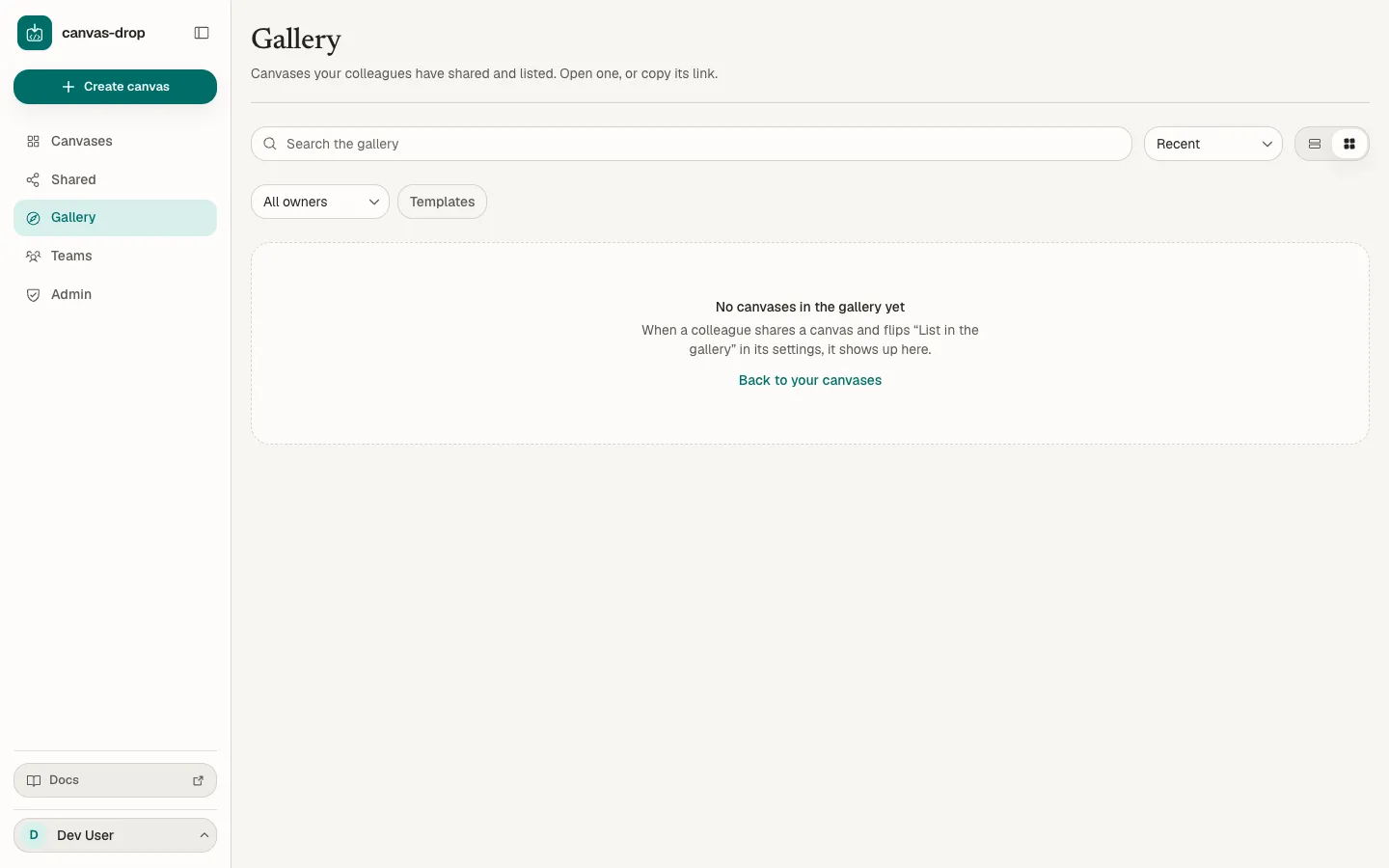
A fresh Gallery stays empty until someone lists a canvas:
A signed-in viewer with direct access, or through a team, can also clone the canvas while it is published, active, unexpired, and password-free, at any General-access choice. General access by itself does not grant cloning, and pending invitations and retained legacy guest sessions cannot clone. The copy is durable: it remains after the source grant is revoked, because it is a new canvas owned by the viewer. It starts unpublished and Restricted, with an empty direct-access list, backend off, and a fresh slug and deploy key.
The description is one field (max 2000 characters) used everywhere the canvas is shown: Overview, Shared, grid cards, and the gallery. There is no separate gallery summary.
Tags are one set per canvas, edited on the Overview tab (Enter or a comma confirms each; values are trimmed and lowercased; max 20 tags of up to 50 characters). They power the tag filter in Your canvases, and once the canvas is gallery-listed the same tags show there and drive its tag shortcuts. Agents set both with update_canvas (description, tags).
Finding canvases
Your canvases, Shared, and the gallery share one forgiving search over a canvas's title, description, tags, and slug; Shared also matches the owner's name and the access label (a team name, for example). Matching is case-, accent-, and whitespace-insensitive: café, Cafe, and caf all find "Café Menu". A multi-word query is AND-matched: every word must appear somewhere in those fields, in any combination. The same search backs the MCP list_canvases and list_shared_canvases query filters; list_canvases also takes a tags filter that matches canvases carrying any of the given tags.
When an admin disables a canvas
An admin can take a canvas down for moderation. A disabled canvas becomes read-only to its owner and editors: every mutation (settings, sharing, tags, capabilities, slug, preview, deploy / publish / rollback, archive / unpublish, draft edits) is refused with DISABLED (HTTP 409 over the management API, a DISABLED: … failure over MCP). Reads still work, so you can open the canvas, see its versions and usage, and read the takedown reason. You cannot delete a disabled canvas; an admin must re-enable or restore it first.
Revoking
Access is always revocable and never cached. Lowering the rung, removing a person, pending email, or team, hitting an expiry, regenerating the slug, or unpublishing takes effect on the next request and drops live realtime sockets. Legacy guest rows kept from older deployments (guest:<id> entries) are revocation-only migration data; re-publishing a canvas does not restore old grants.
Over MCP
Every control above has an MCP tool that wraps the same service and role gate (owner or editor; a canvas you hold no role on reads as not found):
| Tool | What it does |
|---|---|
list_access |
The people list with a role per entry and stable ids (owner, member:<id>, guest:<id>, pending:<id>, team:<teamId>); owners also get transferCandidates. |
grant_access |
Add a person (email) or team (teamId) with role viewer or editor; the silent add. |
invite_to_canvas |
The same add with a courtesy email. |
set_access_role |
Change one entry's role. |
revoke_access |
Remove an entry (the owner entry cannot be removed). |
search_people |
Eligible-people suggestions for a canvas you own or edit, or a team you can see. |
update_canvas |
access (private, whole_org, public_link; the legacy specific_people / team are accepted as aliases of private), discoverability, password, sharedExpiresAt, guestAiEnabled, guestAiCap, galleryListed, galleryTemplatable, description, tags. The legacy teamIds replaces the viewer-team grants on the list. |
transfer_canvas |
Owner-only: hand the canvas to an existing editor by user id. |
list_shared_canvases |
The Shared view: canvases opened to you that you do not own or edit. |