Drop it in.
Share it out.
Made in a chat, a cloud workspace, or on your laptop. Useful work shouldn’t stay trapped where it was created. Give it a home your team can access, improve, and use together.
Bring your files, or connect your agent over MCP.
From an artifact to a tool your team can use.
A shared home, controlled access, and a way to keep improving what you made.
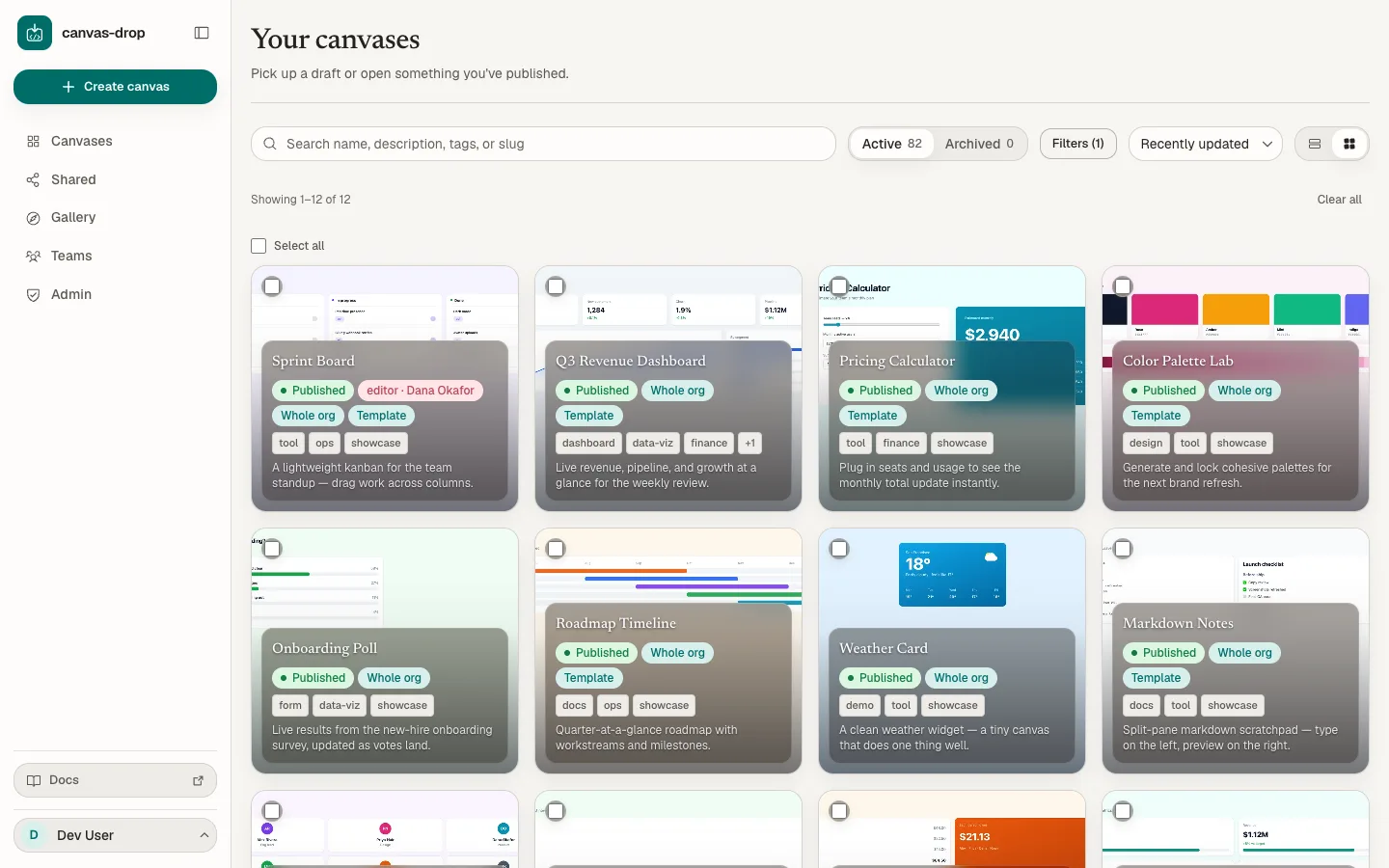
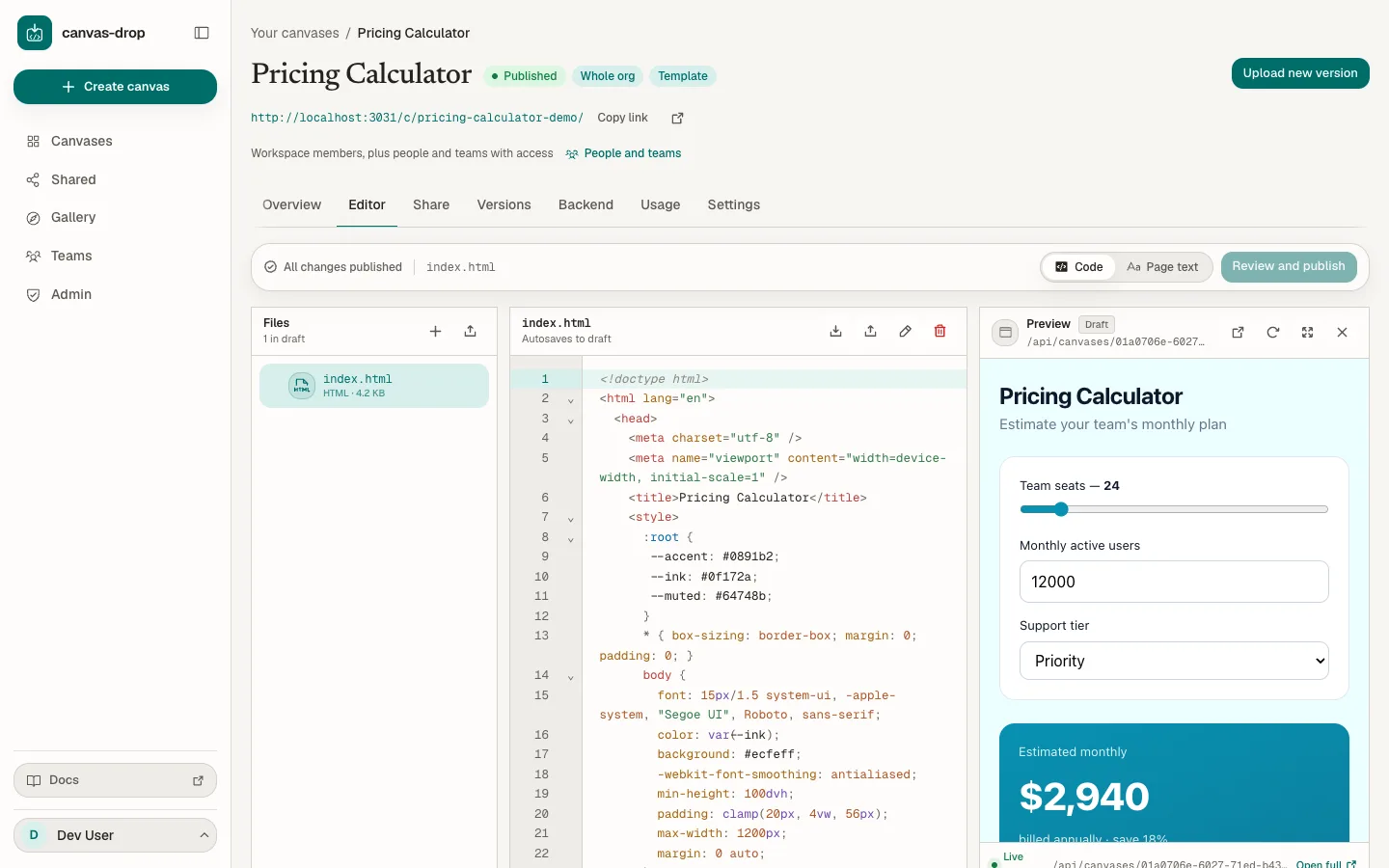
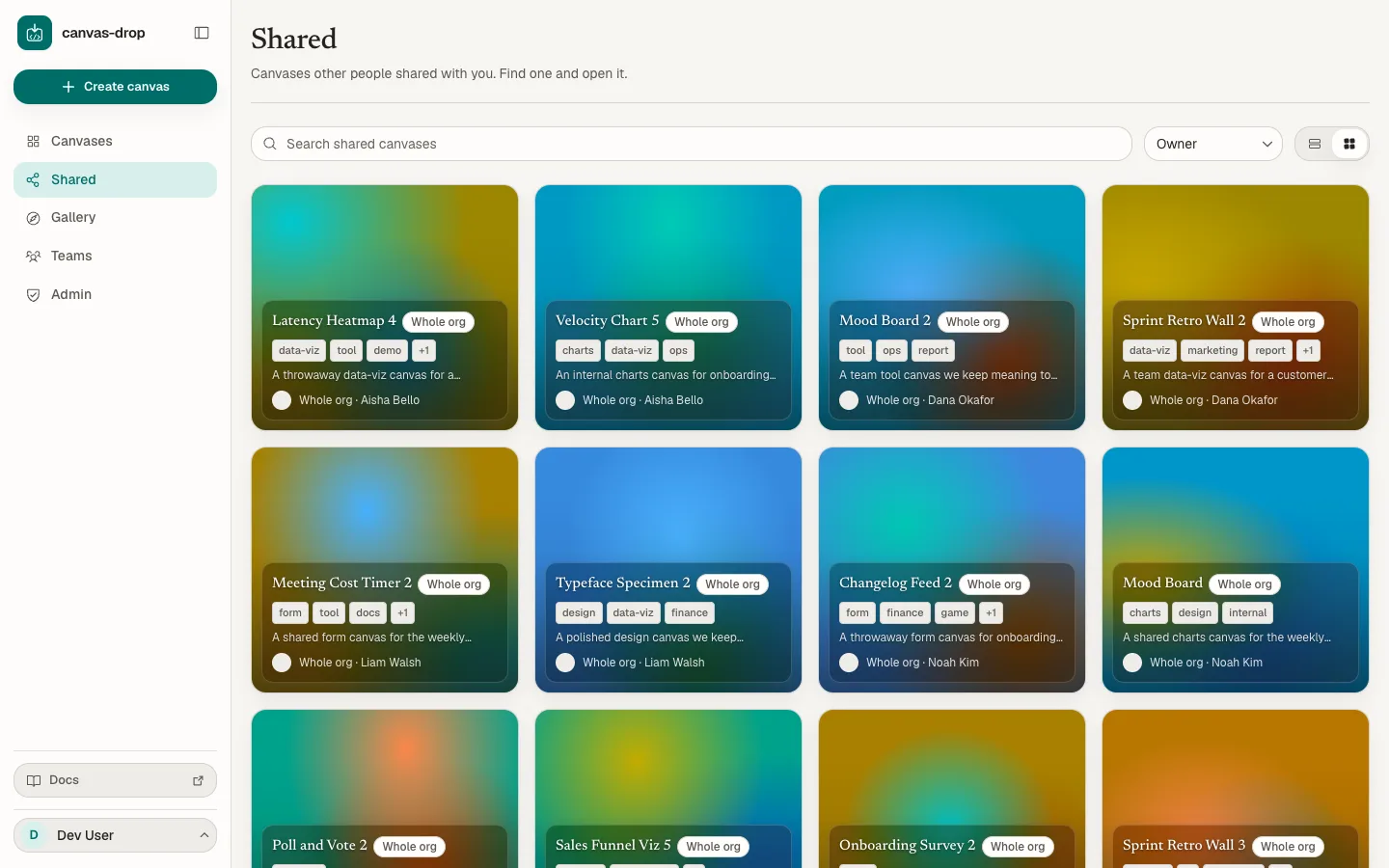
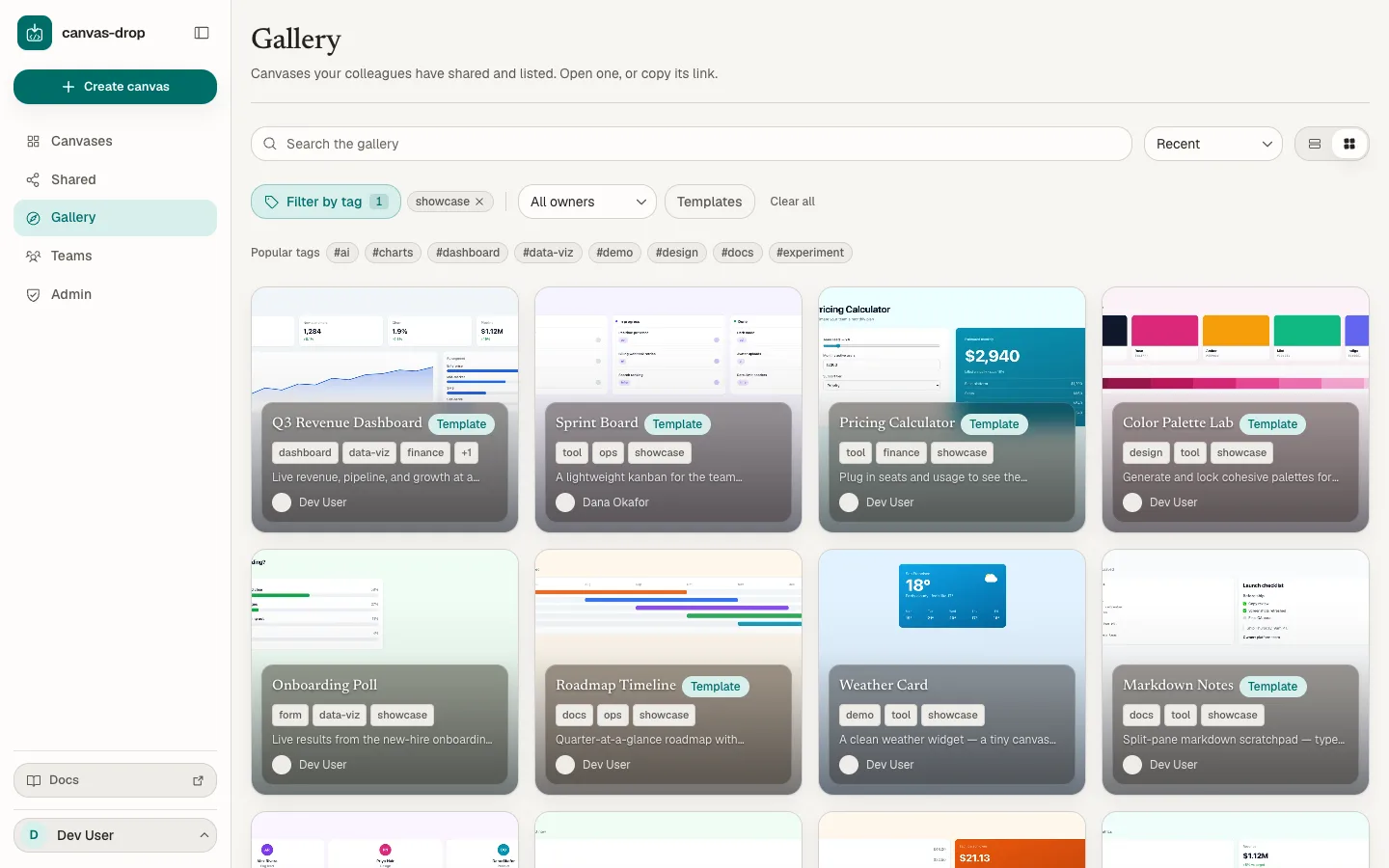
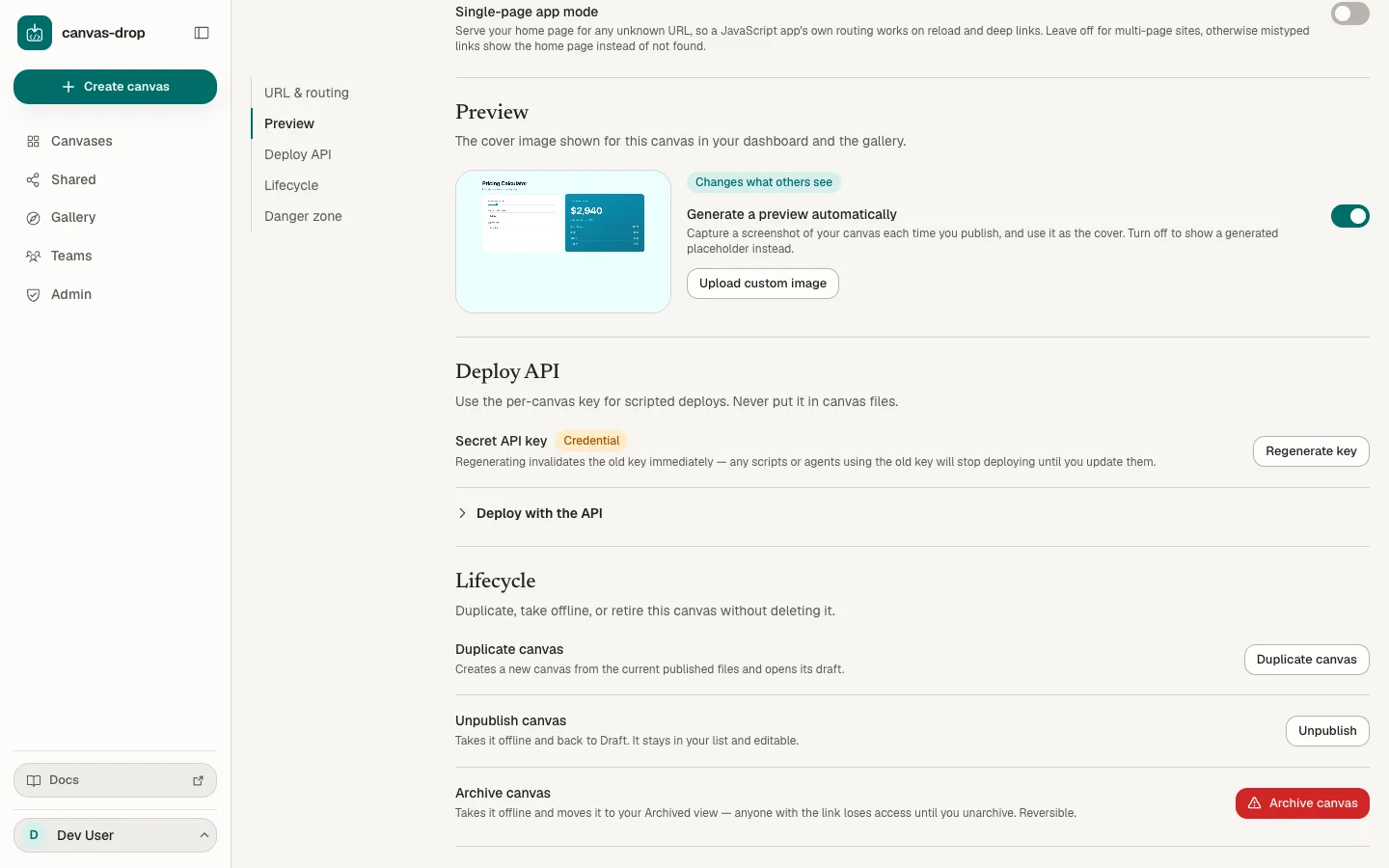
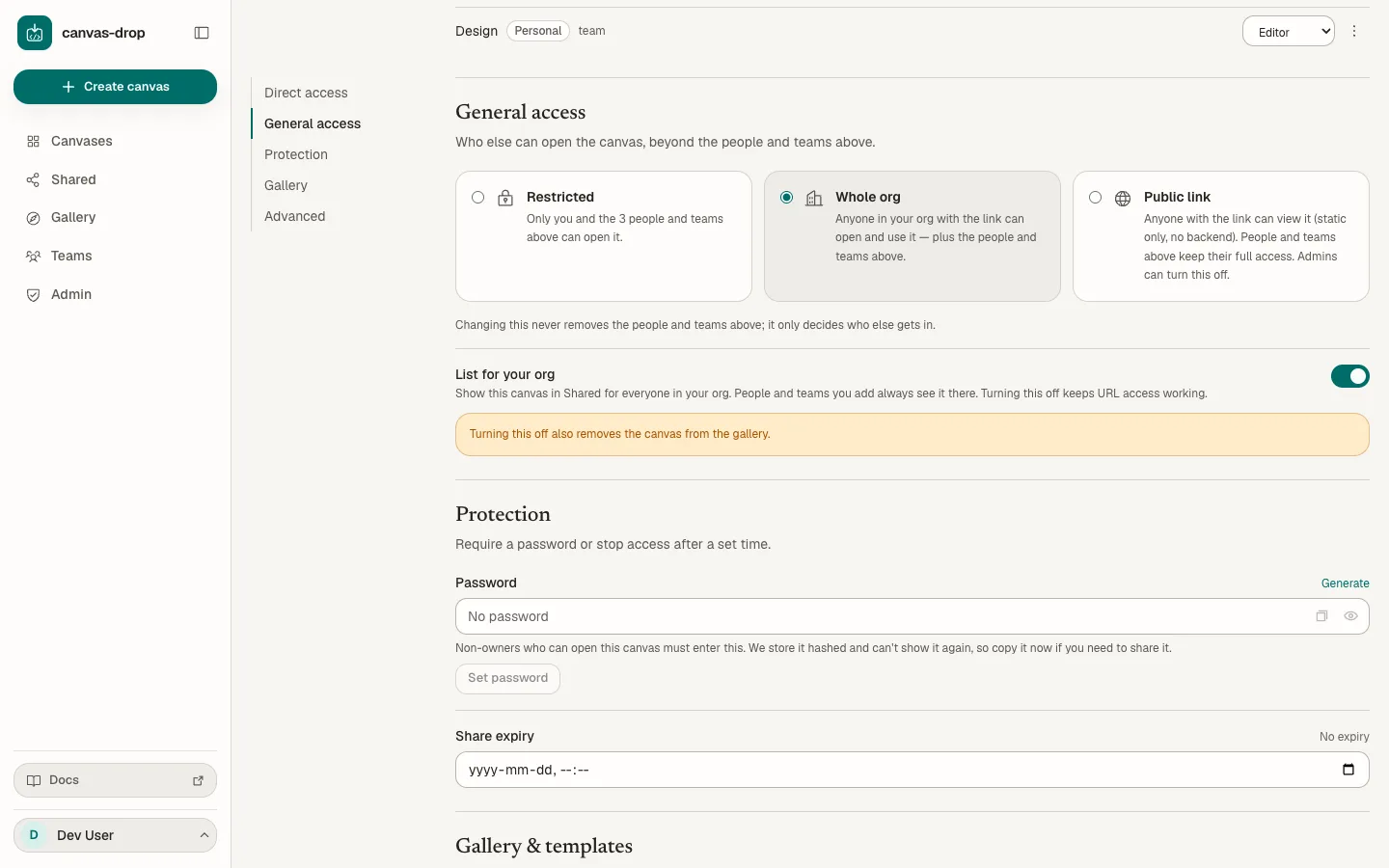
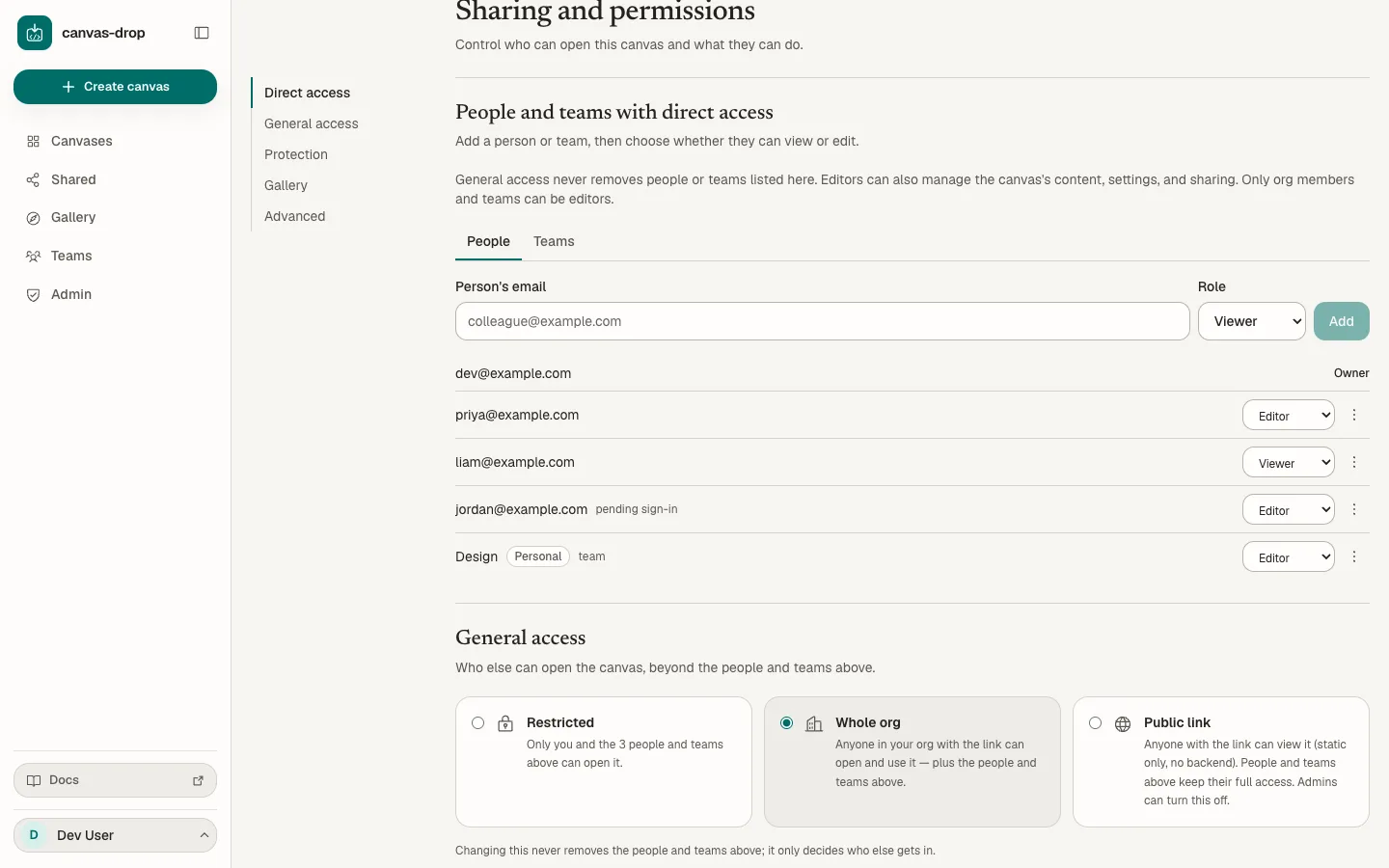
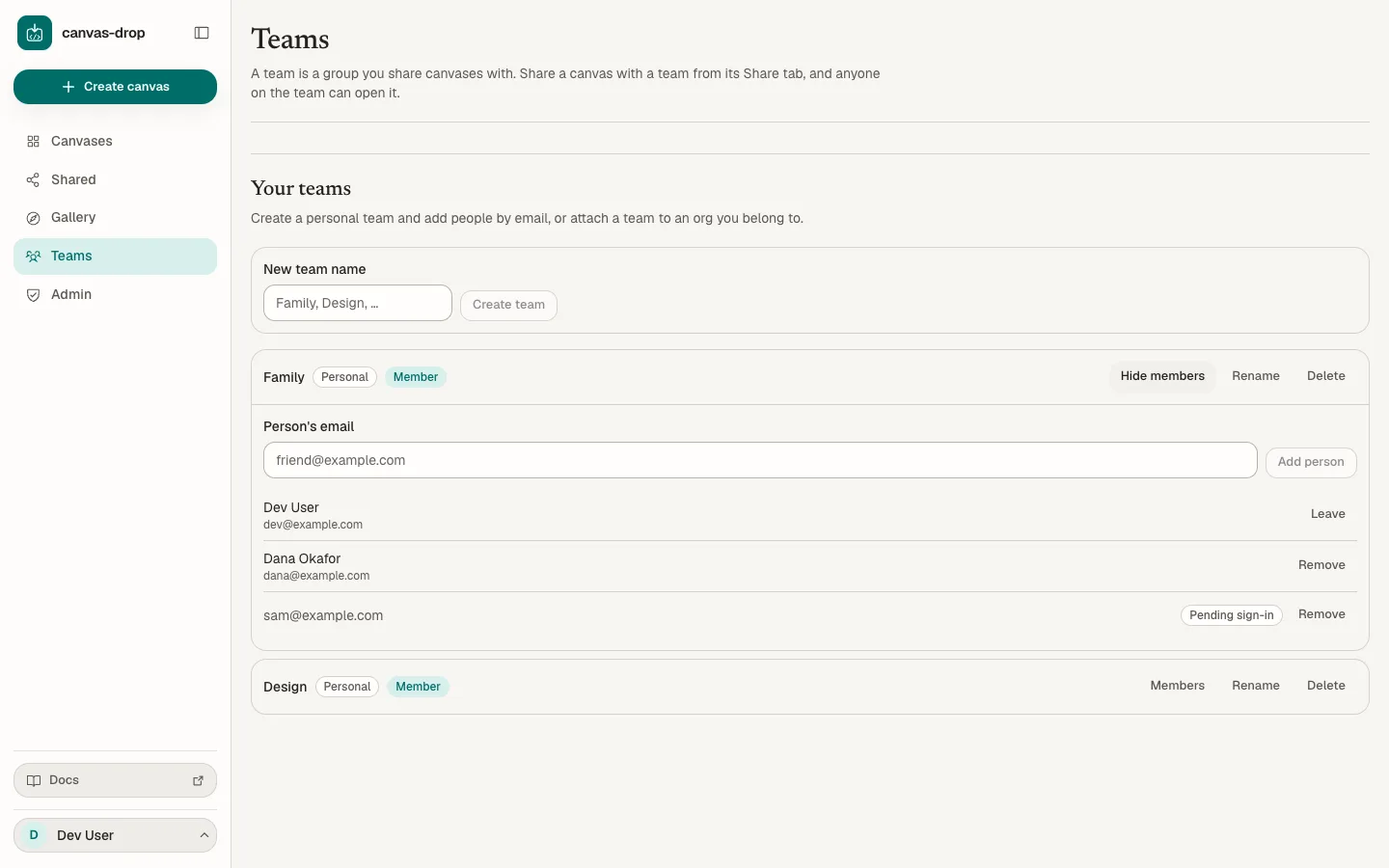
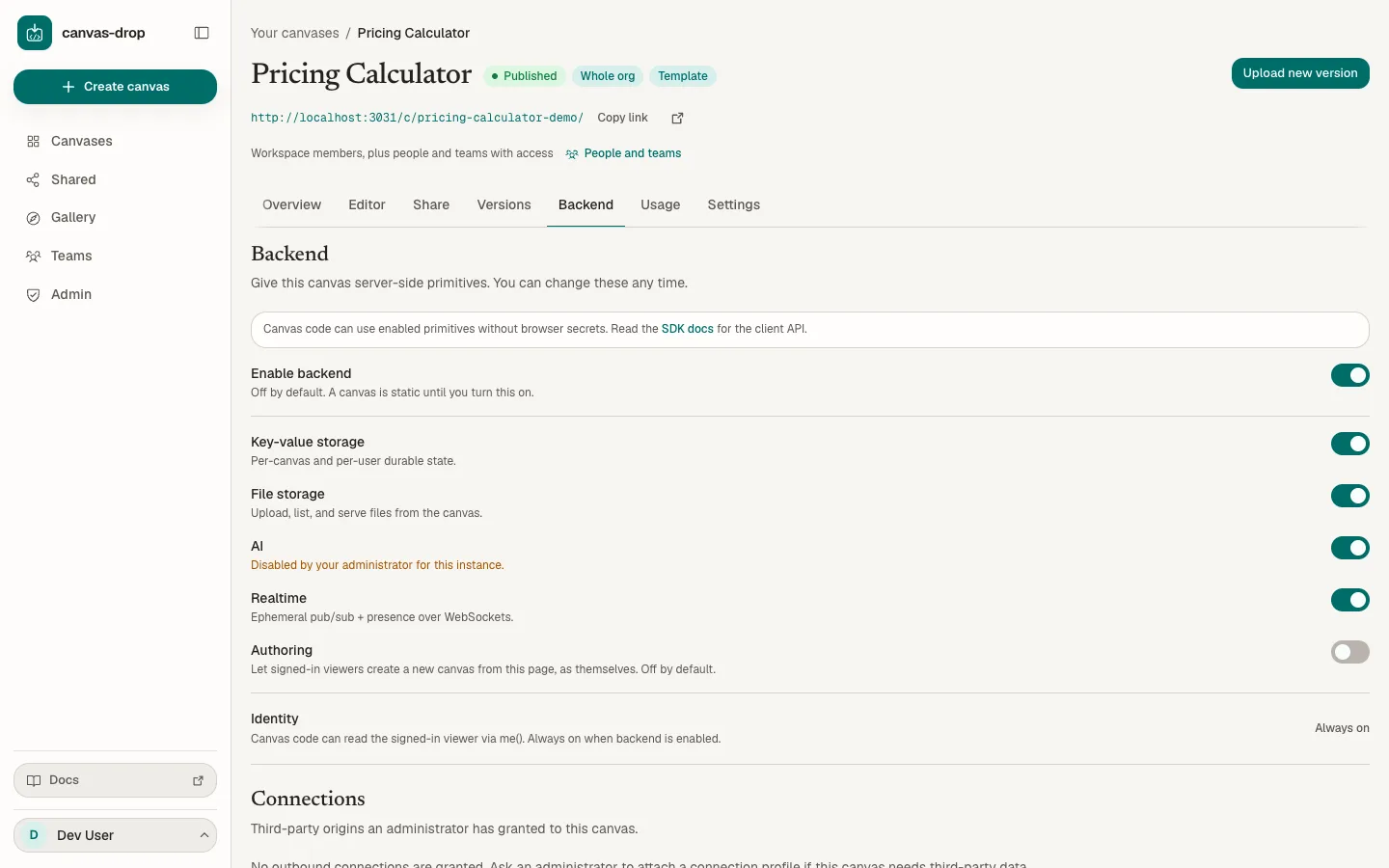
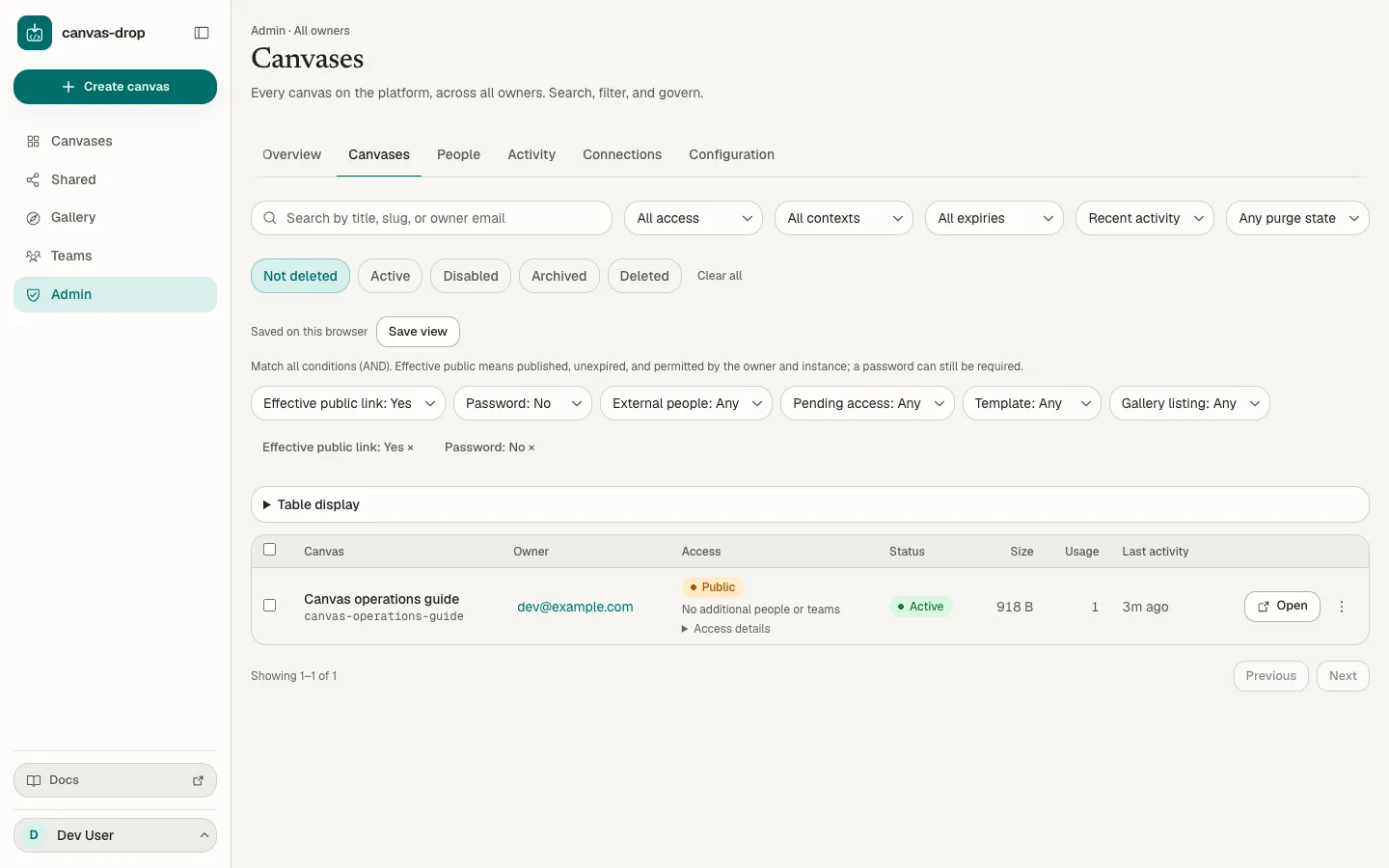
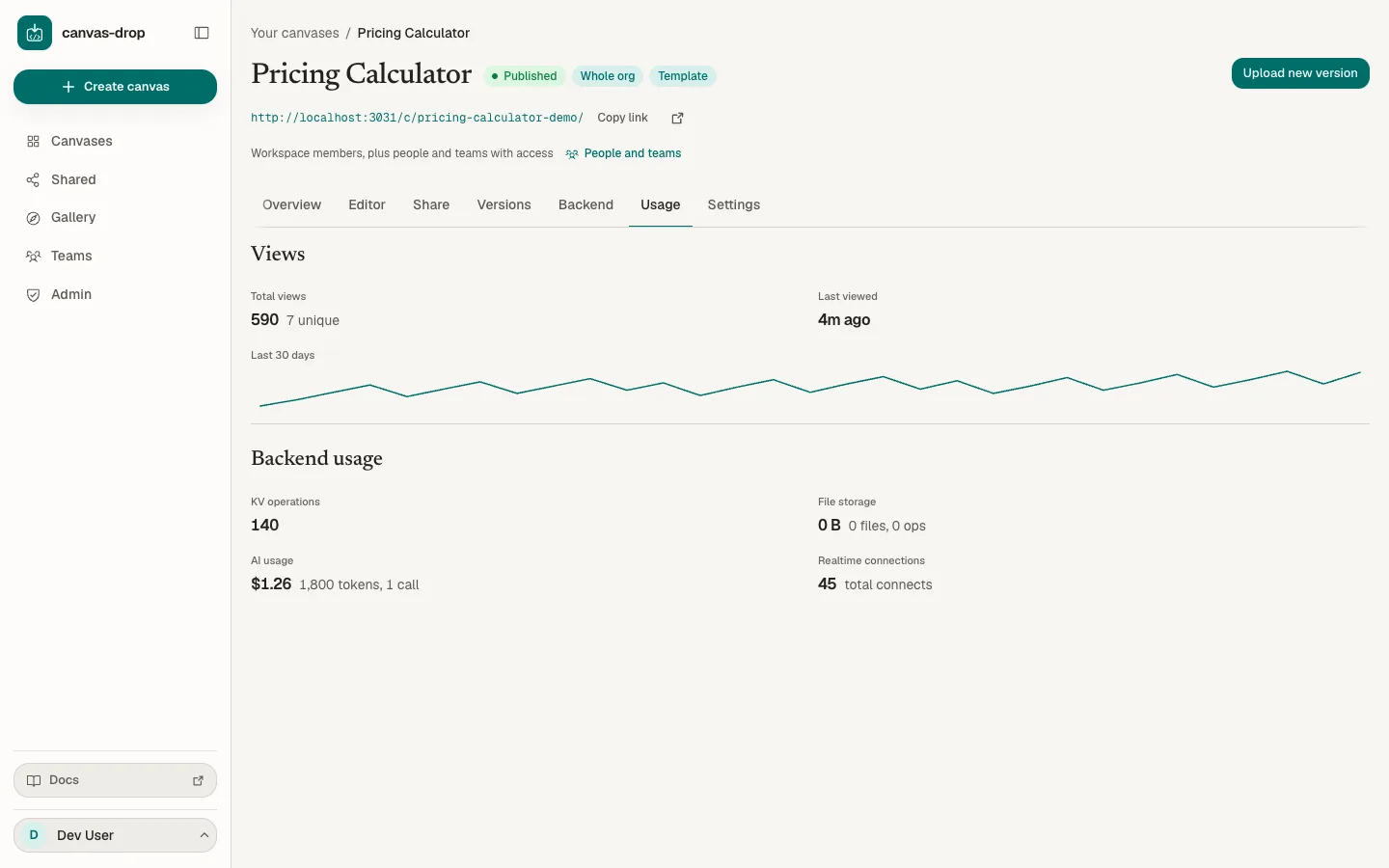
Product walkthrough with example content, shown in the Editorial skin.
Bring your work with you
Publish exported HTML, a folder, or a ZIP from the tools you already use. Connect an agent over MCP to create and update canvases directly.
Let the right people use it
Share through your organization’s sign-in. Add colleagues and teams as viewers or editors, with access you can change or revoke. Public links follow your admin’s policy.
Keep building on it
Edit and preview a draft while the current version stays available. Restore an earlier version, review and prune old history to free space, or offer your canvas as a template.
Sharing
A working link.
The right people.
An access ladder that fits how people actually share. The people and teams you name always get in. General access says who else does.
Add people by email, even before their first sign-in. They enter through your instance’s auth: no app-managed passwords, no magic-link accounts. Inviting someone from outside your domain follows your admin’s policy.
Name a colleague by email, or a team you create once and grant anywhere — each a viewer or an editor. Whatever you pick below, they're in.
Nobody else. With no one added, that's just you.
Anyone signed in to your organization.
Anyone with the URL. Static files only; admins can switch it off instance-wide or per account.
Six primitives + authoring
Let it do more.
Keep shared data, respond to people, and connect to approved services. Static files first, with no server build. Six runtime primitives add data, files, AI, identity, realtime, and controlled access to third-party APIs through admin-granted Connections. The separately gated authoring capability lets signed-in viewers publish canvases as themselves. Secrets stay server-side.
Key-value kv
Store shared values, private preferences and collections of authored records. Each collection has its own permissions.
Files files
Upload and share files with resource permissions. Comment attachments follow their parent record's access.
AI ai
Chat and stream through a server-side proxy. The provider key never reaches the browser.
Identity identity
Know who is viewing, their canvas role and what they can do. Identity and permissions are resolved server-side.
Realtime realtime
Choose who receives messages, publishes and appears in presence, separately for each channel.
Connections connections
Call approved third-party APIs through exact-origin profiles. Credentials stay server-side.
Built for teams
A small tool.
A proper home.
Your sign-in, your workspace, your rules. Give colleagues room to build, with the controls your organization needs.
Teams & invites
Group people into a team and grant it on any canvas, as viewers or as editors. Add colleagues by email before they have ever signed in; access materializes on their first login through your auth. Inviting people from outside your domain is an admin's call, or a policy admins can hand to members.
Editors & ownership
Give a person or a team the editor role and they can do everything the owner can, except delete the canvas, transfer it, or switch on guest AI. Org members only, re-checked on every request. Owners hand a canvas to an editor from the people list; admins reassign the canvases of anyone who leaves.
Org sign-in (SSO)
Everyone signs in through your OIDC provider or behind your identity-aware proxy. Access is gated by email domain and an admin allowlist, and canvas-drop holds no user passwords.
Admin console
Find public canvases without passwords, combine positive and negative filters, and save the views you use. Inspect ownership and access without leaving the list or gaining access to private content.
Your brand, your look
Switch the whole instance, dashboard, editor, and this page included, to one of four design skins from the admin console. No restart, no code.
A clear handover
Preview a departing person's canvases and access. Reassign ownership, block the account, revoke sessions and agent tokens, and see exactly what still needs follow-up.
Investigate and act
Explain why a person can access a canvas. Search administrative activity and recorded reasons. Preview selected bulk actions, restore deleted work, or permanently purge its files and app data after the retention window. Backups follow their own policy.
Connections you can operate
See recent failures, latency, and affected canvases. Run a bounded diagnostic and rotate protected credentials while their values stay on the server.
Restricted by default
Yours to run.
Yours to trust.
Open source under the MIT license. Self-host with Docker on a VPS or your own cloud. SQLite or Postgres, local disk or S3: each a config change.
Restricted by default
Every canvas starts Restricted: only its owner and the people or teams they add can open it until they choose a wider rung.
No telemetry, ever
canvas-drop never phones home. No tracking, no analytics, no third-party beacons; even the fonts are served from your instance.
Secrets stay server-side
AI provider keys and canvas deploy keys live on the server. Canvas code ships no secrets, and identity comes from the server, never from the client.
Backend off by default
A canvas reaches no backend until you switch it on, and you choose which primitives it may use. Public visitors get static files only.
Your infrastructure
Self-host on a single VPS or your own cloud. Your data lives where you put it, and the only outbound calls are the ones you configure, such as an AI provider.